Legal Practice Management Software on Any Device
Manage Your Firm from Anywhere, in Any Browser
Works in Any Browser
Maatdesk is a web app. Open it in Chrome, Safari or Edge on a phone, tablet or desktop and sign in with your usual credentials. Nothing to install, nothing to update.
One Account, Every Device
There is no separate mobile version to keep in sync. A note, task or time entry saved on your phone is the same record your colleagues see at their desks, at the same moment.
Time Entries on the Go
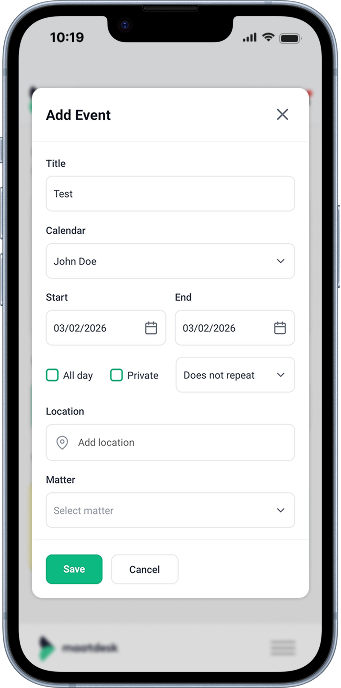
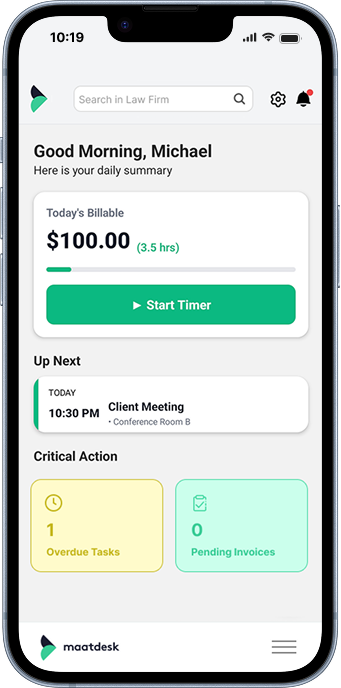
Log billable hours from your phone right after court or a client meeting, while the work is fresh, so no billable minute is lost.
Case Files from Anywhere
Open a matter, read documents and upload files from your phone or tablet when you are away from your desk, in court or travelling.
Notification Center on Every Device
Bills and requests waiting for your approval, calendars shared with you, group and permission changes: the Notification center in the top bar flags each one with a green badge, on whatever device you signed in from.
The Same Security Everywhere
The same encrypted connection and login protect your data whether you sign in from the office or from a phone. Your data stays on the server, not on the device.
FAQs
There is no app to install: Maatdesk is a web app. Open it in the browser on your phone or tablet, sign in with your usual credentials, and you have the same platform you use at your desk.
Yes, on both. Any current browser on iOS or Android - Safari, Chrome, Edge or Firefox - runs Maatdesk. Nothing is downloaded from an app store, so there is no version to keep updated.
Yes. In Safari, tap Share and then Add to Home Screen; in Chrome, open the menu and choose Add to Home screen. That places a Maatdesk icon on your phone that opens the web app in one tap.
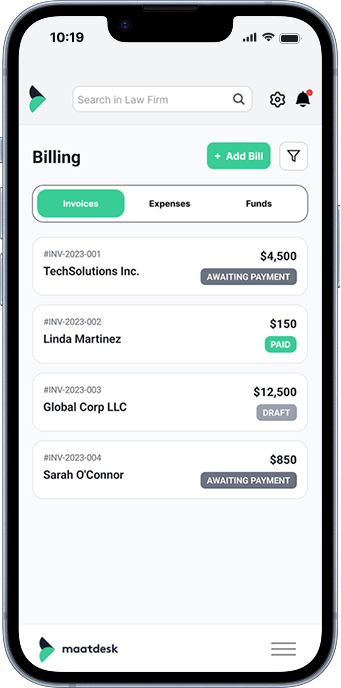
Everything you can do at your desk: view and manage matters, look up client contacts, log billable time, review tasks and calendars, read and upload documents, and check the Notification center. It is the same application on a smaller screen.
There is nothing to sync. Maatdesk is one system with one set of records, so a time entry, note or task saved from your phone is already there when you open Maatdesk at your desk, and the other way round.
Yes. Log a time entry as you leave court, after a call or while travelling, against the right matter, so the hours are captured before they are forgotten.
Yes. Open the matter, read its documents, upload a file or add a note from your phone or tablet, exactly as you would from a desktop browser.
The Notification center in the top bar works the same on every device. It shows bills or requests waiting for your approval, calendars shared with you, and group or permission changes, and marks new items with a green badge.
Yes. The connection is encrypted and the login is the same as on a desktop. Your data stays on Maatdesk's servers rather than on the phone, so a lost device does not carry your case files.
No. Access from a phone or tablet is part of your Maatdesk subscription; there is no separate mobile licence or add-on.
Yes. Because it runs in the browser, attorneys and staff work from the office, home, court or the road with the same account and the same records, without installing anything on each machine.